Install and start Portal Alive Kicking
Same steamapps folder, same drive, then the relaxation vault.
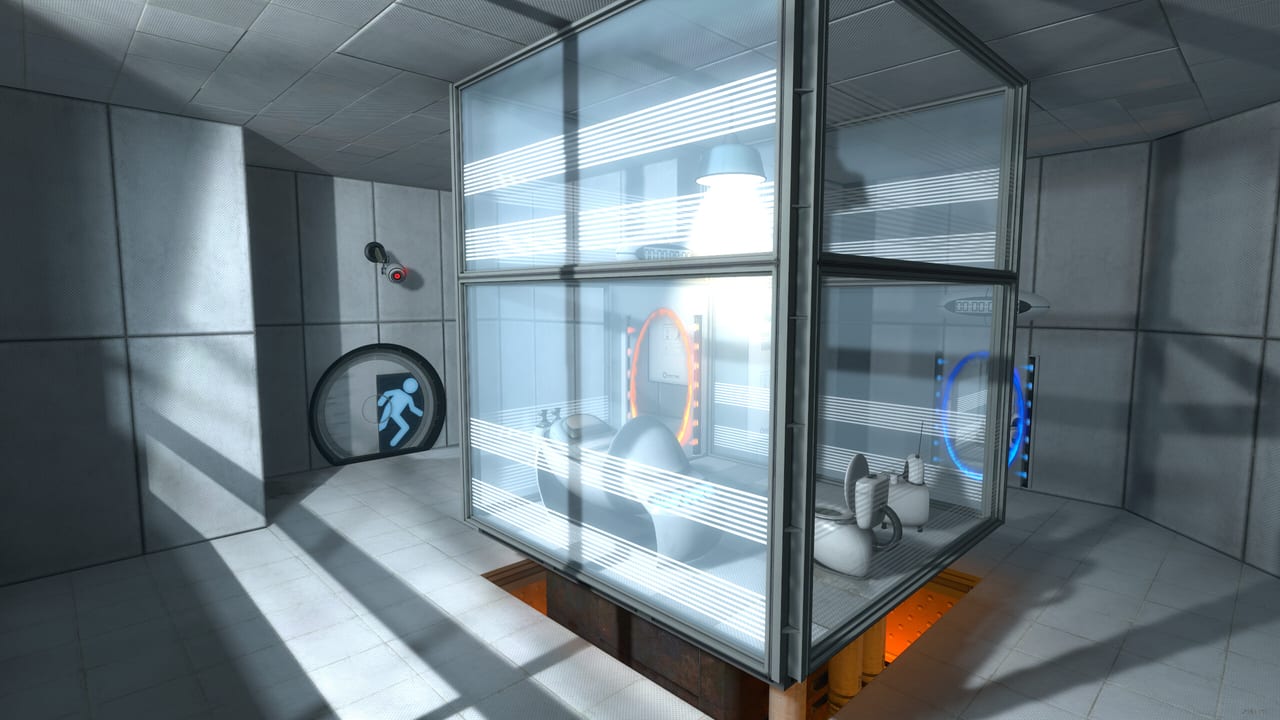
Portal: Alive & Kicking is a free single-player remake of Valve’s Portal, built as a Portal 2 mod by Rhubarb & Rhubarb. Steam shipped it on 28 August 2026. The first hour is less about cubes and more about folders. If Portal 2 is missing, on another drive, or stuffed with extra workshop mods, the menu will never appear. This page is the install checklist, the first chambers, and the mistakes launch-week testers already made.
What you actually own
Alive & Kicking is not a standalone sequel. Steam’s minimum spec ends with a blunt note: Portal 2 must be installed in the same steamapps folder. The official launch post repeated it: install the mod in the same steamapps folder as Portal 2, on the same drive. Family Sharing is listed, captions are listed, full controller support is listed, and nine achievements are listed. A second player is not listed. If you came here hoping to portal with a friend, you want Portal 2’s cooperative campaign instead.
System requirements copy Portal 2’s era: Windows 10 (Steam no longer supports 7/8 as a client), a 3.0 GHz P4 or Dual Core 2.0, 2 GB RAM, a 128 MB Shader 2.0b card, DirectX 9.0c, and 4 GB of disk next to Portal 2 itself. Modern machines clear that bar. The real constraint is disk layout, not GPU horsepower.
Install order
- Install or verify Portal 2 from your Steam library. Let it finish. Do not move it after the fact without moving Alive & Kicking with it.
- Open the Steam store page. If the download button or the Add to Library popup is missing — testers reported both on launch day, including when gifting a friend — wishlist the title, then download and launch from that entry. Search the library box for the app name; do not assume a region lock. The developers said they were checking with Steam while the store button bug was live.
- Confirm both games landed under the same
steamappsdirectory on the same physical drive. A common failure is Portal 2 on D: and the mod on C:. - Disable extra mods sitting inside the base Portal 2 folder. The launch post warned that leftover Portal 2 mods can break or disrupt Alive & Kicking.
- Launch Alive & Kicking from Steam, not from a copied
portal2.exeshortcut you found online.
If the console looks for materials/console/startup_loading.vtf and dies, you failed step 3. That exact error is documented in troubleshooting. Do not reinstall Windows. Move the games onto one drive.
First launch checklist
Before Chamber 00, open options:
- Keyboard: left click blue portal, right click orange,
Euse,Spacejump,Ctrlcrouch,Shiftwalk,Fzoom. Full table is on the controls page. - Video: if a map starts and the process closes, turn off multithreaded rendering and add
-threads 1to the Steam launch options. That pair is the official workaround for a rare map-start crash. - Captions: Steam lists captions. Turn them on if you are learning GLaDOS’s cadence or playing without audio.
- Do not open
achieve.bspfrom the console. Testers warned against it on day one.
Then start a new game. The remake wants you in the relaxation vault, not in a leftover Portal 2 save.
The first three chambers
Chamber 00 is still the joke about the vault, the first wall portal, and the cube on the 1500 megawatt button. Place the cube, walk through the emancipation grill, and let the game steal unauthorized equipment. Chamber 01 teaches that the orange and blue ovals are a pair. Chamber 02 hands you the Aperture Science Handheld Portal Device. Do not look into the operational end. Do not dip it in the water that is absolutely not water.
If you have never played Portal, read how to play before Chamber 06. Flinging — falling into a portal so the exit spits you across a gap — is the skill the rest of the campaign grades. If you already know Portal, still watch the lighting. Alive & Kicking uses Portal 2 panels and stronger puzzle cues, so some sightlines that were muddy in 2007 are honest now.
The embedded video is Bolloxed’s no-death demo playthrough of the old Alive & Kicking demo. It is not the full 2026 campaign, but Chambers 00–03 have not changed their jokes. Use it to confirm your portal gun is firing, then close it and play.
What to ignore on day one
- Workshop maps for Portal 2. Play them in Portal 2, not here.
- Console map names you remember from 2007 until you have finished the story. The walkthrough will name chambers when you need them.
- ARG threads on the Steam board if you want a clean first run. There is a spoiler-titled discussion; leave it until after GLaDOS.
- Linux and Steam Deck until you read the Steam Deck guide. Compatibility was listed as unknown at launch, and testers reported boot crashes.
After the first hour
When you can fling without thinking, stay in the chamber walkthrough through 19, then how to beat GLaDOS. If you want a difficulty ranking instead of a solution, open the chamber tier list. Advanced remixes wait on the advanced chambers page.
Saves were called finicky on launch day. Manual save before a hard fling. Do not assume the autosave after a grill is enough. If a save will not reload, that is tracked on known issues, not a skill issue.
Why this remake exists
The store copy is clear: Alive & Kicking retells Chell and GLaDOS with Portal 2’s visuals, retcons, and a new dynamic soundtrack that mixes Portal’s drones with Portal 2’s reactive scoring. Jeep Barnett, a Portal developer, is quoted on the store page. The project spent more than a decade in public demos. You are not late. You are on the first weekend the legal paperwork allowed Steam to host it.
Play it as a campaign, not as a graphics benchmark. The release notes list what is in 1.0 and what was promised later (elite maps, soundtrack DLC). Your job in the first session is simpler: one drive, one portal gun, one cube on one button.
Frequently Asked Questions
Quick answers for testers stuck in Aperture.
Is Portal: Alive & Kicking free?
Yes. It is a free Steam mod. You must already own and install Portal 2 in the same steamapps folder.
Why is there no download button?
Launch-day testers could not see it. The developers suggested wishlisting the game, then downloading from that entry while they talked to Steam.
Can I play without Portal 2?
No. The menu looks for Portal 2 materials. Different drive or missing install produces the startup_loading.vtf error covered in troubleshooting.
Does it support a second player?
No. Steam lists single-player only. There is no second player on the couch or online.